Emerald IPTV Trial Guide: What to Test in 24 Hours | Emerald IPTV Ireland
Last updated:
Quick Summary
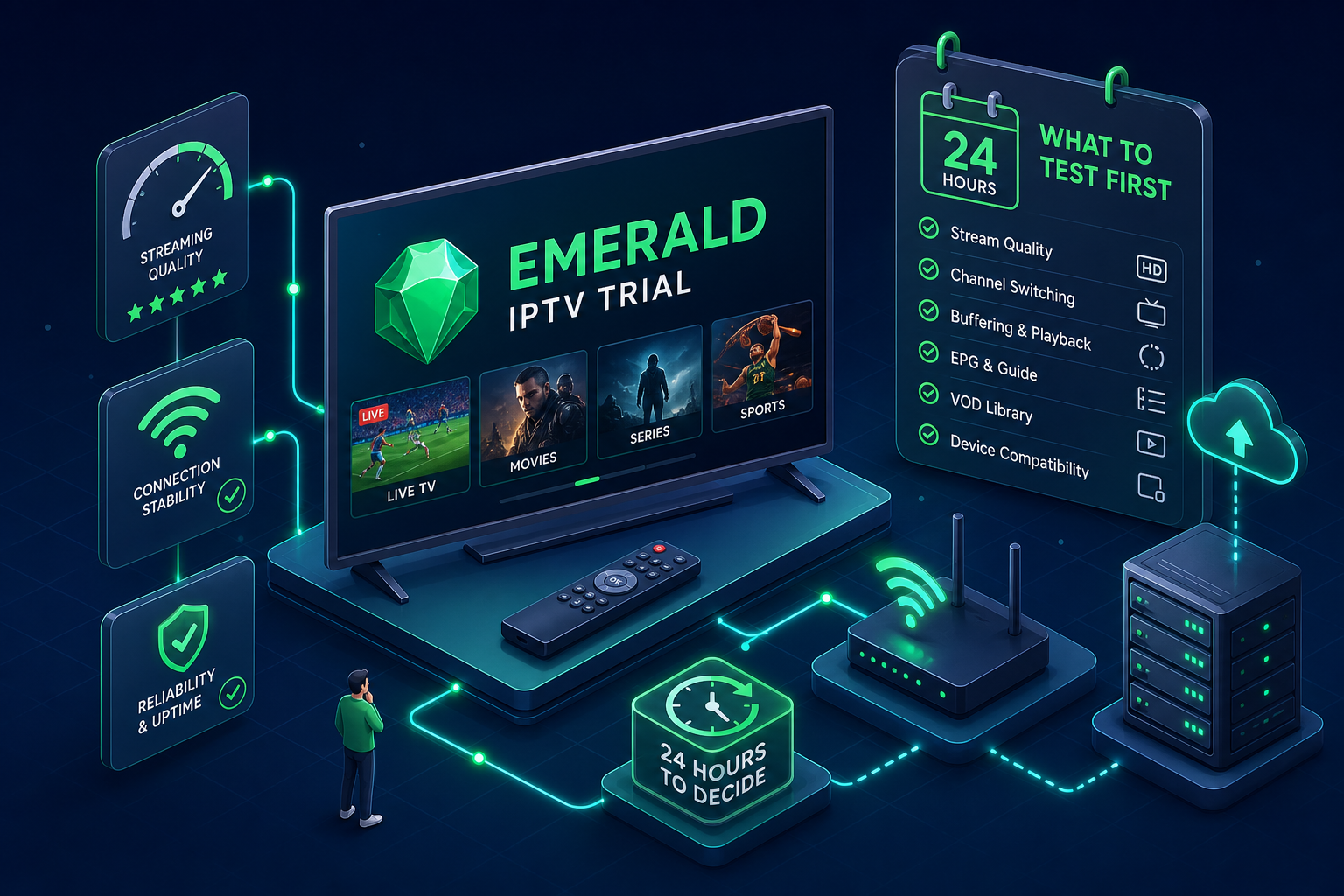
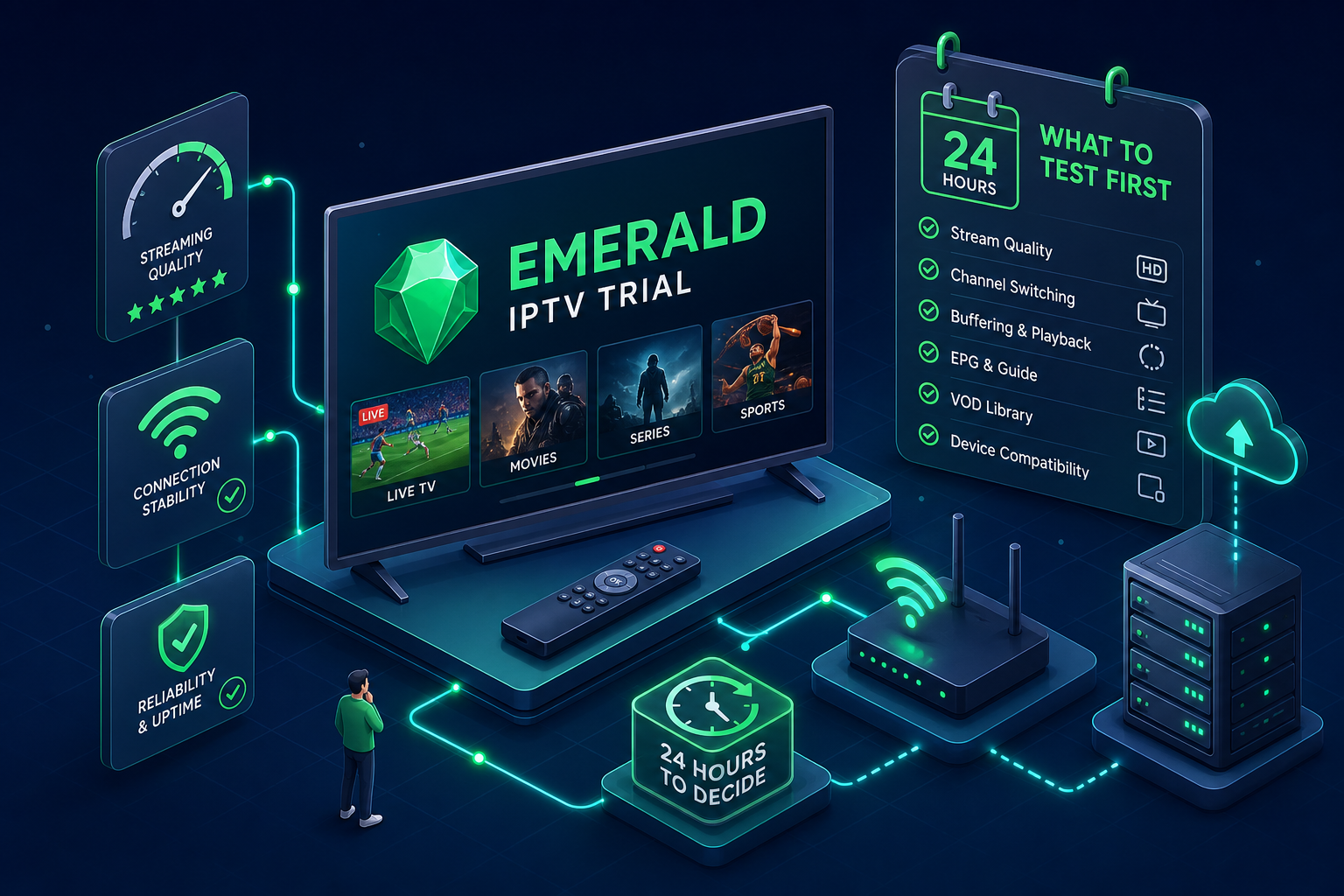
Make the most of your Emerald IPTV 24-hour trial. Test Irish channels, sports, and 4K streaming on all devices. Discover seamless performance before you commit.
Before you pay another month's bill to Sky or Virgin Media, run an Emerald IPTV trial and see what you actually use. Most Irish households spending somewhere in the region of €80 to €120 a month on these bundles are funding channels they rarely open, sports packages cost extra, HD upgrades cost extra, and somewhere in the bill is a line item for equipment rental on a box you didn't ask for. It adds up fast, and most people tolerate it because switching feels complicated.
The smarter move is to test a full IPTV service before spending a single euro on a subscription. Emerald IPTV, one of Ireland's most established IPTV providers, offers a no-payment 24-hour trial so you can evaluate the service on your own devices, with your own connection, against your own expectations. This guide gives you a structured test plan so you don't spend those 24 hours clicking around without a clear verdict. By the end, you'll know exactly what to check, how to check it, and whether Emerald IPTV earns your subscription.
How to claim the Emerald IPTV free trial
The sign-up process takes about two minutes. Visit the Emerald IPTV website, locate the free trial option on the homepage, and submit your name and email address. Your login credentials arrive by email shortly after. No credit card is required, and when the 24-hour window closes, nothing auto-bills. You either choose to subscribe or you don't, verify the exact trial terms on Emerald's site when you sign up, as conditions can be updated.
The trial isn't a restricted demo with a handful of sample channels. According to Emerald's published trial details, you get full access to the complete channel lineup, the on-demand library, multi-device support, and HD and 4K streams where applicable. The intent is to let you evaluate what you'd actually be paying for, not a curated highlight reel. Confirm the scope directly on their site before starting your test session.
Emerald IPTV's customer support is available during the trial. If something doesn't connect during setup, you can reach them via live chat and get it sorted quickly. Anyone who's been burned by IPTV providers that disappear after sign-up will appreciate that support is accessible before you've paid a penny, not just after.
Getting your Emerald IPTV trial running on your device
The fastest path to a working setup is through a Firestick or Android TV box, which are the most common devices used by Irish households cutting the cord.
Firestick and Android TV setup
Start by installing the Downloader app from the Amazon Appstore. In Downloader's settings, enable "Allow from this source," then navigate to Developer Options under My Fire TV settings and turn on "Install Unknown Apps." This takes about two minutes and only needs to be done once.
From there, use Downloader to install IPTV Smarters Pro or TiviMate. Both are solid players: Smarters is more beginner-friendly; TiviMate has a cleaner interface with better EPG integration. When either app is open, select "Login with Xtream Codes API" and enter the host URL, username, and password from your trial confirmation email. Setup typically takes between five and fifteen minutes for a first-time user, depending on your device and familiarity with the process. Most people are watching live TV before they've had a chance to overthink it. For a step-by-step Smarters installation and features overview, see this IPTV Smarters Pro guide.
Smart TVs, MAG boxes, and mobile devices
Samsung and LG Smart TVs work well with IBO Player Pro, available from the manufacturer's app store. MAG boxes connect via a portal URL. iOS and Android phone users can download IPTV Smarters directly from the App Store or Google Play. Check Emerald's device support documentation or contact their support team to confirm compatibility with your specific device, they provide guided setup instructions if you hit a snag. For device compatibility and setup steps, see Get Started with IPTV Ireland.
Emerald IPTV pricing and plans
Once you've completed the trial, Emerald IPTV offers subscription plans at various intervals, monthly, quarterly, and annual options are typically available, with longer commitments offering better value per month. Visit Emerald's pricing page for current rates and any active promotions, as plans can change. There's no installation fee and no equipment rental regardless of which plan you choose.
Irish channels to test during your Emerald IPTV trial
Start with the basics. Open RTÉ One, RTÉ Two, TG4, and Virgin Media One as your first four channels. These are the channels every Irish household needs working reliably, and they're your baseline quality check. A good stream loads in under three seconds, plays cleanly in HD, and shows no gap between audio and video. Check the EPG as well: it should display accurate programme listings with the current show highlighted. If those four channels pass, the fundamentals are solid.
Next, move to the sports section. Live sports are the hardest test for any IPTV service because they demand consistent, low-latency delivery over a sustained period. Open a live GAA match, a Premier League fixture, or any live sports broadcast running during your trial window. A healthy stream shows sharp picture quality at 1080p or better without frame drops, and the action stays in sync with the commentary. Peak match times are when the distinction between a well-run IPTV service and a generic one becomes obvious, test during a busy window if you can.
After the live channels, test the on-demand library. Navigate to the VOD section and select a 4K title to verify picture quality and load time. Check a few recently released films to confirm the library is actively maintained. Emerald IPTV carries a substantial on-demand catalogue, check their site for current figures on title count. For households that don't need access to Netflix originals specifically, a well-stocked VOD library can be a genuine replacement rather than just a supplement, but that's a judgement call worth making for yourself during the trial.
How to evaluate streaming quality during your Emerald IPTV trial
Before you draw any conclusions about performance, run a speed test. Head to fast.com or speedtest.net and note your download speed. For stable HD streaming, a consistent 10 Mbps is a reasonable working target, though some sources suggest 5 Mbps is sufficient for standard HD. For 4K, aim for at least 25 Mbps. Most Irish broadband connections in 2026 clear these numbers comfortably, but confirming your baseline before attributing any issues to the service rather than the connection is worth the two minutes it takes. You can use an online streaming speed test or consult a broader internet speed test guide for recommendations on reliable testing tools.
The real quality test is a sustained live stream under realistic conditions. Watch 15 continuous minutes of live GAA coverage on one device while streaming a second channel on another device simultaneously. This is how most households actually use IPTV. Watch for buffering frequency, picture quality drops during fast-moving play, and audio sync consistency. A single brief pause in 15 minutes is normal and not a concern. Persistent buffering every two to three minutes is a problem worth reporting to Emerald's support team before writing off the service entirely. In most cases, the fix is simple and takes less time than you'd expect.
Common trial issues and how to fix them quickly
Buffering during a trial almost always comes down to one of three causes. The first is Wi-Fi signal strength, if your streaming device is two rooms away from the router, switch to the 5GHz band or pick up an ethernet adapter. The second is background bandwidth usage from other devices on the network. The third is an incorrect stream quality setting in the app itself. Set it to "auto" or "HD" in the player settings rather than a fixed resolution your connection might not sustain. A router restart before your trial session is a good habit regardless.
The most common setup mistake is a typo in the Xtream Codes credentials. The host URL, username, and password fields are all case-sensitive, and a single incorrect character stops the playlist from loading. Copy and paste the credentials from your confirmation email rather than typing them manually. If the app still won't connect after double-checking, Emerald IPTV's support team can walk you through the configuration over live chat, and most issues are resolved within a few minutes.
Making your decision before the trial ends
The cost comparison is worth running. Sky Ireland and Virgin Media bundles with sports typically land somewhere between €80 and €120 per month, check current package pricing on their respective sites, as promotions shift regularly. An Emerald IPTV subscription, according to the provider's published details, covers Irish and UK content alongside a large additional channel selection, with no installation fee and no equipment rental. The potential monthly saving is meaningful, and across a full year it compounds. For a wider perspective on whether switching from a traditional pay-TV bundle makes sense, see the Emerald IPTV Review 2026: Worth the Switch from Sky?.
If you finish the 24 hours undecided, check whether Emerald IPTV's current subscription terms include a post-purchase refund window, some sources indicate a 14-day option, though you should confirm the exact policy on their site before subscribing. A refund window of any length after payment is a clear signal of a provider confident in what they're selling, and it removes a layer of hesitation that keeps many people on the fence longer than they need to be. For tips on how to get the most from a short trial period, this roundup on making the most of a 24-hour IPTV free trial is useful reading: 24-hour IPTV free trial, how to make the most of your test.
Your verdict should come from testing, not guessing
What you see during the Emerald IPTV trial is exactly what you get if you subscribe, no hidden limitations, no curated highlights designed to paper over the gaps. That's the point of a full-access trial rather than a restricted demo.
The test framework is simple: claim access, get the app running on your device, check RTÉ and TG4 first, run the GAA stream test under real household conditions, troubleshoot anything that comes up with support, and make a call before the window closes. Between the trial and any post-purchase refund period, the financial exposure at every stage is minimal. For a concise checklist and testing tips, read our post on Free IPTV Trial Ireland: How to Test Before You Buy.
Claim your Emerald IPTV trial today and run through the checklist. If the service passes, reliable Irish channels, solid sports streams, a stocked VOD library, the case for switching writes itself. That's roughly €1,000 a year you could stop spending on a bundle built around channels you don't watch.
Ready to Try Ireland's Best IPTV Service?
Get 25,000+ channels including RTÉ, Sky Sports, GAA and Premier League. Plans from just €9.99/month. No contract. And right now — try FREE on two independent servers, 48 hours each.
✓ No credit card required ✓ Cancel any time ✓ Setup in under 2 minutes