Stream Irish TV Abroad: RTÉ, TG4 & Live Channels | Emerald IPTV Ireland
Last updated:
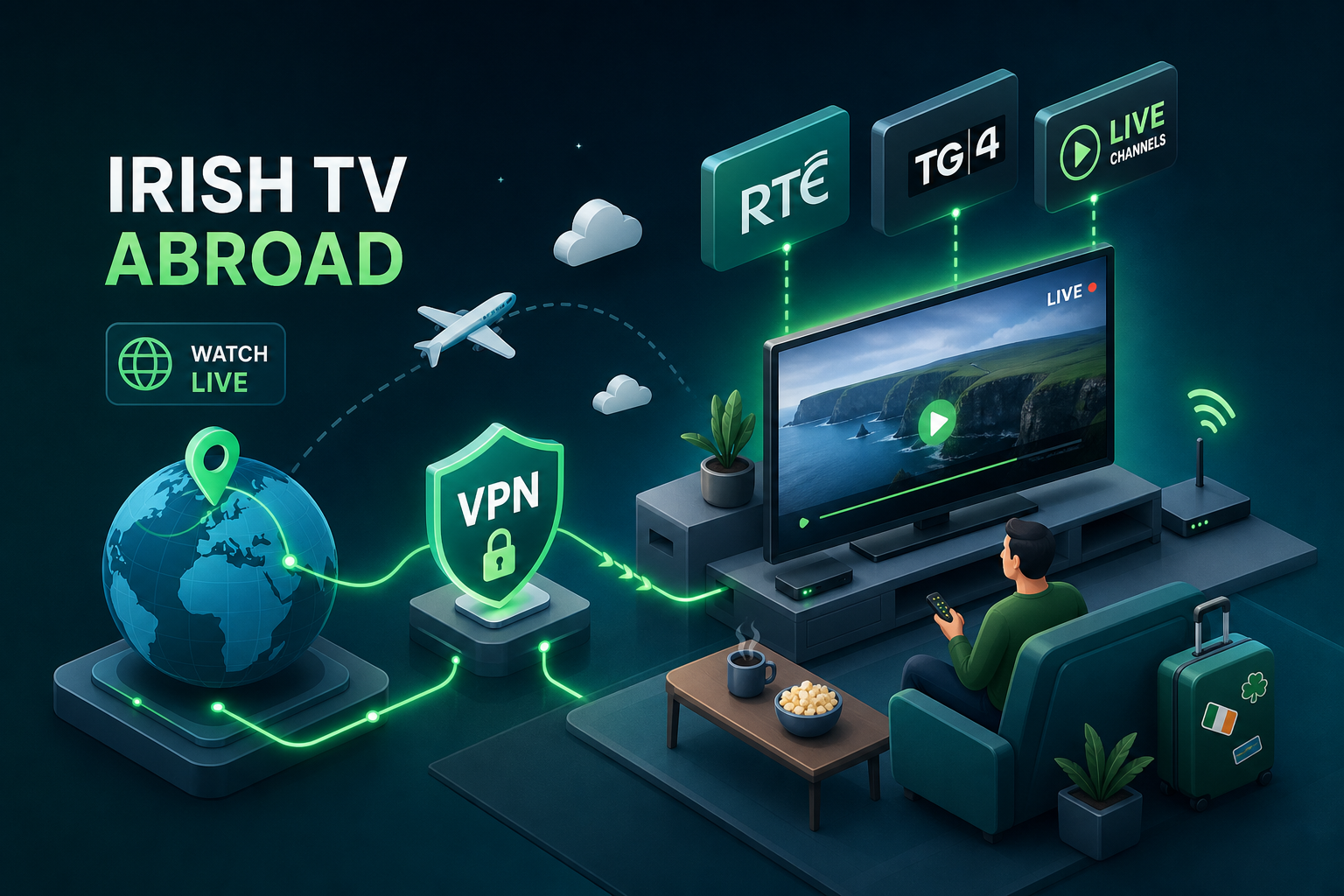
Quick Summary
Stream Irish TV abroad in 2026: Learn how to access RTÉ, TG4 & live channels via VPN or IPTV. Compare setup & geo-block fixes with Emerald IPTV.
You open RTÉ Player from London, Sydney, or New York and get the same message every time: "This content is not available in your region." If you've been living abroad for any length of time, that message has probably cost you a GAA final, a Late Late special, or just the simple comfort of watching the six o'clock news from home. So what is the best way to stream Irish TV channels when living abroad? There are three main paths, a VPN, Smart DNS, or a dedicated Irish IPTV service, and each one suits a different setup.
The good news is that real, working solutions exist. Not the shaky YouTube streams that die with five minutes left in a match, and not the sketchy free sites that load slowly and carry more malware than content. For Irish expats who want to skip the configuration entirely, a dedicated Irish IPTV service like Emerald IPTV removes the geo-block problem at the source. This guide covers all three paths, including which one suits your setup, how to get started on any device, and how to fix the most common errors when things don't go to plan.
Why Irish TV blocks you the moment you leave Ireland
RTÉ, TG4, and Virgin Media don't block international viewers out of spite. Their broadcast licences are territory-specific, which means the rights to air sports events, drama series, and news programming are sold on a country-by-country basis. When you stream from an Irish IP address, the platform sees a valid local viewer. When you stream from a New York or Melbourne IP address, the platform's licensing terms require it to block the request. It has no legal choice.
How broadcasting licences create the geo-block problem
Every time you load RTÉ Player, the platform checks your IP address against a database of known location ranges. Irish IP addresses get full access. Every other address gets blocked automatically. This system protects the broadcaster from breaching territorial content deals, particularly for live sports rights, which are among the most expensive and tightly controlled licences in media.
Why free streams are a dead end
Searching for an RTÉ stream on YouTube or a random sports site looks like an easy fix until the stream drops with twenty minutes left in a match, or the site serves malware before you've even hit play. Free streams are constantly removed by rights holders, and the ones that survive are generally low-resolution, audio-delayed, or overlaid with ads. They're also entirely unreliable during peak events like All-Ireland finals, when demand spikes and servers collapse. A proper solution is worth three minutes of setup.
VPN vs. Smart DNS: what actually works for streaming Irish channels overseas
Both VPNs and Smart DNS can unblock RTÉ Player and other Irish platforms when you're watching from abroad, but they work differently and suit different situations. Understanding the difference saves you time and frustration before you pick one.
What a VPN actually does for your streaming connection
A VPN routes all your internet traffic through a server in Ireland, giving you an Irish IP address in the process. RTÉ Player checks your IP, sees Ireland, and lets you stream as if you were sitting in Dublin. The full connection is encrypted, so your ISP can't see what you're watching and can't throttle your stream based on content. The trade-off is a slight reduction in speed, though modern VPNs using WireGuard-based protocols like NordLynx close that gap significantly. For most broadband connections, the speed impact is barely noticeable.
Where Smart DNS fits and where it falls short
Smart DNS takes a narrower approach. Rather than routing all your traffic through an Irish server, it only intercepts the specific data packets that reveal your location to streaming platforms. Everything else continues through your normal connection, which makes it faster than a VPN and easier to configure on devices that don't support VPN apps natively, like most Smart TVs and Apple TV.
The downside is the lack of encryption. Smart DNS is also easier for broadcasters to detect and block if their geo-detection becomes more aggressive. It's also worth noting that if your home IP address changes, common with standard broadband contracts, you'll need to re-register it in your Smart DNS dashboard.
Choosing based on your device and priority
The practical rule is straightforward. Use a VPN if you're streaming on a laptop, phone, Android box, or Firestick and want reliable access with privacy built in. Use Smart DNS if you're trying to get Irish channels on a Smart TV that won't install third-party apps. For both methods, you need a minimum of 10 to 15 Mbps download speed and latency under 100ms for stable HD streaming. If your connection sits below those numbers, switching from Wi-Fi to a wired Ethernet connection often fixes the problem before you need to touch any settings.
What is the best way to stream Irish TV channels when living abroad: VPN options in 2026
Not every VPN unblocks RTÉ Player reliably. The ones that do tend to have a large pool of Irish servers, because RTÉ blocks specific IP addresses rather than banning entire VPN services. More Irish servers means more IP addresses to cycle through when one gets flagged.
Top VPN picks with proven Irish server performance
NordVPN is the strongest all-round option, with over 50 Irish servers and the NordLynx protocol for fast, buffer-free streaming. It is widely recommended across tech publications for its ability to watch RTÉ outside Ireland consistently.
PrivateVPN offers strong value, with a dedicated Dublin server that bypasses RTÉ's geo-blocks and works across Mac, Windows, iPhone, and Android. Surfshark is worth considering for budget-conscious users who still want a solid Irish connection for streaming Irish channels overseas.
What to do when RTÉ Player detects your VPN
RTÉ Player blocks specific IP addresses, not VPN services as a whole. When you hit the "proxy detected" or "Error 100" message, the first fix is simply switching to a different Irish server within your VPN app, that alone resolves the issue in the vast majority of cases.
If switching servers doesn't work, try these steps in order:
- Turn off any device GPS or location services, since a conflicting GPS signal can override your VPN's location data.
- Enable your VPN's obfuscated or stealth mode if it has one, which disguises VPN traffic as regular HTTPS traffic.
- Clear your browser cookies and cache for rte.ie and player.rte.ie only as a last resort.
- Avoid free proxies, which are routinely blocked by RTÉ's IP blacklisting systems.
A dedicated Irish streaming service built for the diaspora
Why Irish expats choose an IPTV service over VPN workarounds
Using a VPN to watch Irish TV works, but it comes with ongoing maintenance. You need to keep the app active, connect to the right server before each session, and repeat the troubleshooting cycle whenever RTÉ rotates which IPs it blocks. For some users, that's manageable. For others, it's friction they'd rather avoid after a long day.
Emerald IPTV is a streaming service built specifically for the Irish diaspora. According to the provider, it handles the access layer on its side, so subscribers in the UK, US, Australia, and mainland Europe can access an Irish channel lineup without managing server connections or clearing cookies. There's no VPN required, no ongoing configuration, and based on the provider's claims, no mid-stream failures when RTÉ updates its IP blocklist.
The service advertises a free 24-hour trial and a 30-day money-back guarantee, which makes it a low-risk option to test against your current setup. As with any IPTV provider, it's worth checking the provider's terms and confirming that the channels you want are included before subscribing.
What RTÉ, TG4 and GAA coverage looks like in practice
According to Emerald IPTV, the service includes RTÉ One, RTÉ2, TG4, Virgin Media channels, and live GAA coverage, covering everything from Six Nations rugby to Irish-language programming. The provider also claims a catalogue of over 25,000 live channels and 100,000 on-demand titles. These figures are drawn from the provider's own marketing, and channel availability may vary depending on licensing arrangements.
How to set up your chosen method on any device
Setting up a VPN on Firestick, Android, and iPhone
For Firestick, Android, or iPhone, the process is the same: download the VPN app from the app store, sign in with your account, select an Irish server from the server list, and open RTÉ Player. Once the VPN is connected and shows an Irish IP address, Irish streaming platforms treat your device as local.
Configuring Smart DNS on Smart TVs and Apple TV
Start by signing up for a Smart DNS service, logging into the dashboard, enabling Smart DNS, and registering your current IP address. Your provider will give you a primary and secondary DNS server address to enter on your device.
- Samsung TV: Menu > Settings > Network > Network Status > IP Settings. Change DNS to Manual and enter the addresses provided.
- LG TV: Menu > All Settings > Network > Connection > Expert > IP Mode > Manual, then enter your DNS addresses.
- Apple TV: Settings > Network, select your Wi-Fi network, Configure DNS, switch to Manual, and enter the DNS addresses.
If your home IP changes when your router restarts, re-register the new IP in your provider dashboard or your access will stop working.
Getting started with Emerald IPTV
Sign up for the free trial on the Emerald IPTV website, download the app or configure it through an IPTV player on your device, and enter the subscription credentials provided. If you run into anything during setup, Irish customer support is available around the clock. According to the provider, setup typically takes around 10 to 15 minutes.
Fixing the most common streaming errors and connection problems
When RTÉ Player says "proxy detected" or "rights restricted"
Work through this sequence in order. First, switch to a different Irish server in your VPN app to get a fresh IP address. Disable any location services on your device, since a conflicting GPS signal can override your VPN's location data. If the problem persists, activate your VPN's stealth or obfuscated mode. If none of those steps work, clear your browser's cookies and cache for rte.ie and player.rte.ie specifically.
Buffering, quality drops, and DNS not working
For buffering mid-stream, run a speed test first. You need at least 10 to 15 Mbps download for stable HD. If your speed is fine but buffering continues, switch from Wi-Fi to wired Ethernet. For Smart DNS not working after setup, the most common cause is that your IP address has changed since you registered it. Log back into the Smart DNS dashboard and update your IP registration.
What is the best way to stream Irish TV channels when living abroad: the bottom line
If you're comfortable with a bit of setup and want to use RTÉ Player directly, a VPN with Irish servers is a solid, proven way to watch RTÉ outside Ireland. Smart DNS is the right call for Smart TVs that won't run VPN apps, though it requires slightly more configuration upfront and ongoing IP management.
For Irish expats who want everything in one place without ongoing maintenance, Emerald IPTV is worth considering as a dedicated solution. The provider claims it delivers RTÉ, TG4, full GAA coverage, and a large channel catalogue to subscribers worldwide, with no VPN required on your end. The advertised 30-day money-back guarantee means you can test it properly before committing.
If you've been missing Irish TV and haven't found a reliable way to watch Irish TV abroad, the free 24-hour Emerald IPTV trial is a fast way to check whether it works on your connection and devices. You can review current plans on our pricing page or return to the Emerald IPTV homepage to get started.
FAQs
Can I watch RTÉ Player outside Ireland legally? Access depends on broadcaster terms and licensing restrictions. Most viewers abroad use a VPN or alternative service and should always follow local laws and platform terms.
What is better for Irish TV abroad: VPN or Smart DNS? VPN is usually better for privacy and consistency across phones, laptops, and Firestick. Smart DNS is often easier on Smart TVs that do not support VPN apps.
Why does RTÉ Player keep saying proxy detected? This usually means the IP you are using is blocked. Switching to another Irish VPN server and clearing rte.ie/player.rte.ie cookies usually fixes it.
Do I need fast internet to stream RTÉ and TG4 abroad? For reliable HD, target at least 10 to 15 Mbps download and stable latency. Wired Ethernet often improves stream stability over Wi-Fi.
Can I test Emerald IPTV before paying? Yes. Emerald IPTV advertises a free 24-hour trial and a 30-day money-back guarantee so you can test quality before committing.
Ready to Try Ireland's Best IPTV Service?
Get 25,000+ channels including RTÉ, Sky Sports, GAA and Premier League. Plans from just €9.99/month. No contract. And right now — try FREE on two independent servers, 48 hours each.
✓ No credit card required ✓ Cancel any time ✓ Setup in under 2 minutes